CONNECT YOUR LIBRARY
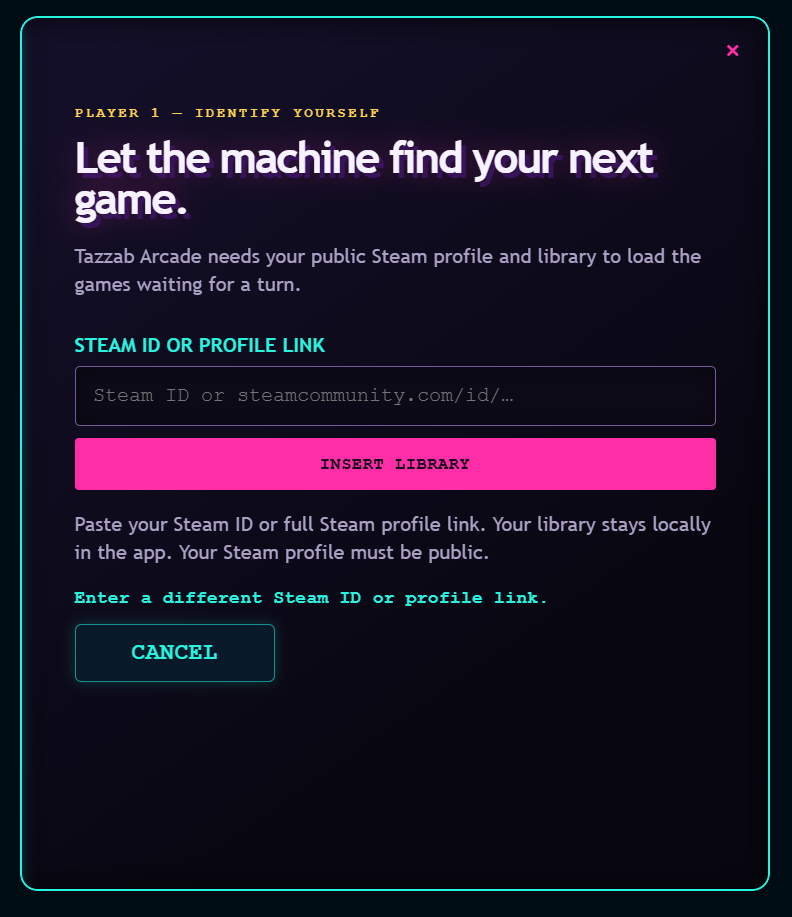
Enter your Steam ID or public Steam Community profile URL. Tazzab Arcade reads your public Steam library.
TAZZAB ARCADE
LET THE MACHINE DECIDE.
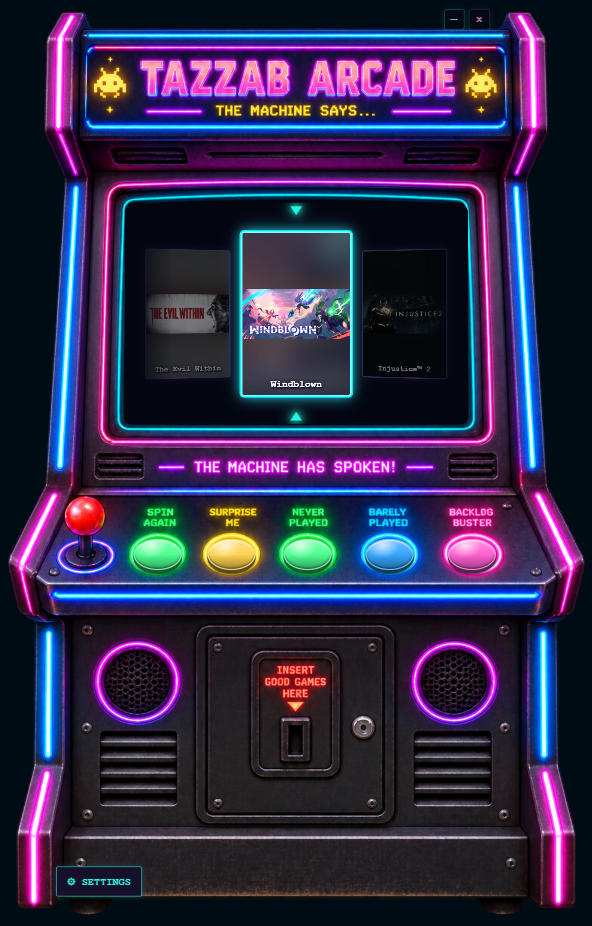
A Windows Steam-library game picker for the moment when every game looks good and none of them get played.

HOW IT WORKS
Three simple steps between your library and something worth playing.
Enter your Steam ID or public Steam Community profile URL. Tazzab Arcade reads your public Steam library.
 02
02Get a retro arcade-style selection from the games you already own. No endless indecision screen required.
When you find your pick, launch it directly through Steam and get on with the good part.
THE REAL REEL
The cabinet rolls through the games already waiting in your public Steam library, then gives one title the centre slot.


GAME STATS
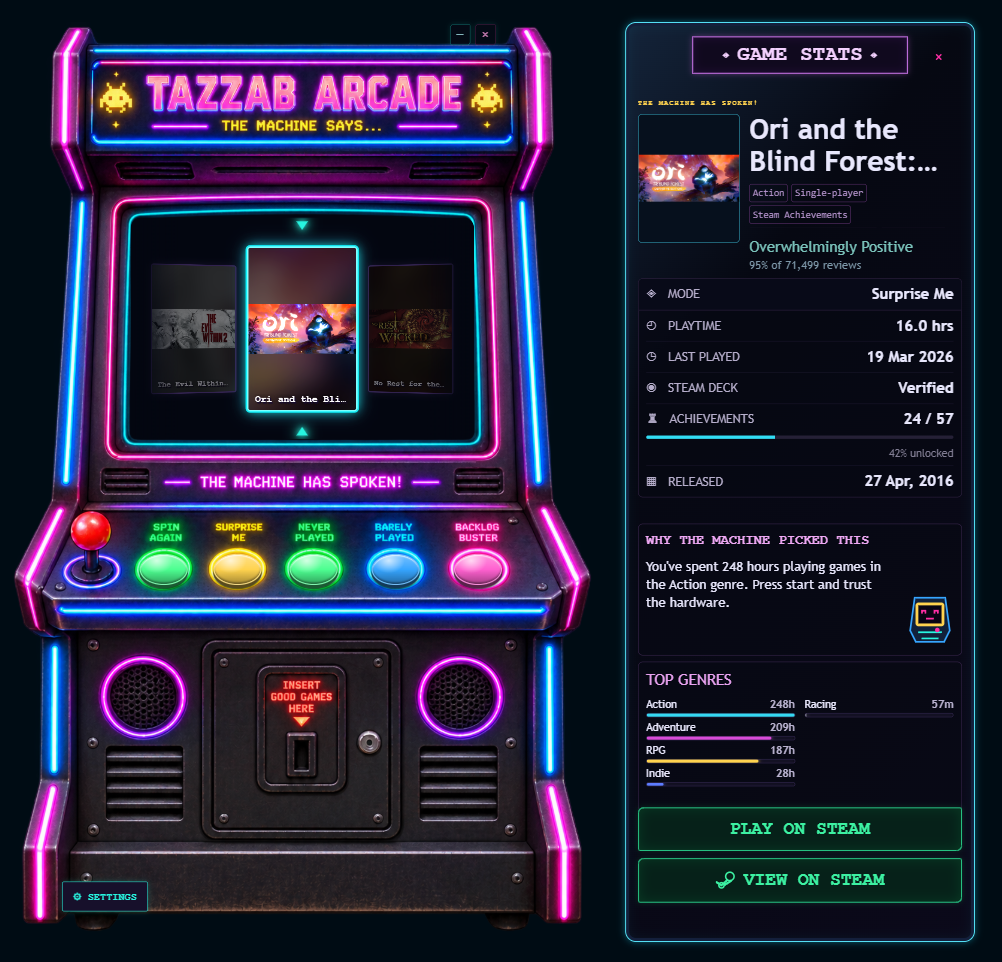
When the machine picks a game, Tazzab Arcade can show useful context around it, including playtime, last played, achievements, genres, reviews, and Steam actions where available.
SETTINGS / LOCAL MODE
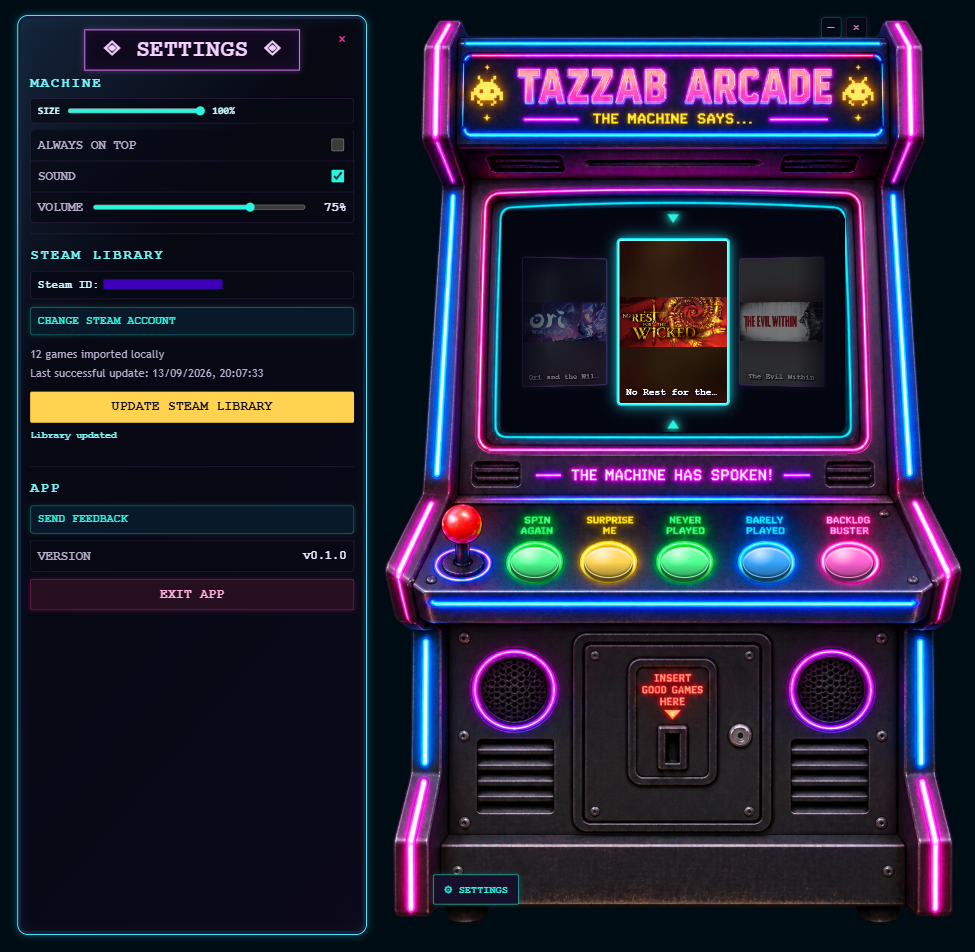
Library, settings, and metadata stay stored locally on your device. Adjust the cabinet and Steam library connection without turning the app into a dashboard.

STEAM SETUP
Use your Steam ID or full public Steam Community profile URL. Your public Steam profile and library are required for lookup. No Steam password is requested, and your library/settings remain local in the app.
PRIVACY
Library, settings, and metadata are stored locally on your device. Tazzab Arcade has no advertising and no behavioural analytics.
READ THE FULL PRIVACY POLICY